The dealer
Proto-persona · assumption
I need to answer the customer's question without hunting through menus.
- Confident with the configurator
- New to VR hardware
- Standing, often one-handed
A tablet tool that lets a Volkswagen dealer configure a van with the customer, then show it on TV or in VR.
A dealer has one tablet, a customer, a TV and a VR headset. I designed the interface that keeps the dealer in control while the customer explores the van.
MaRT, the Marketing Retail Tool, is used in Volkswagen Commercial Vehicles showrooms. The dealer configures a van to the customer's needs, or loads a ready-made one. Then they switch the tablet into a controller: the van appears on a big TV, or the customer puts on a VR headset and walks around it.
The existing app worked, but it showed its age. Testing pointed to three gaps: the dealer kept going back and forth to the configurator, there was no help for dealers with questions, and the design no longer matched Volkswagen's standards.
The UX flows were already defined when I joined. My job was the interface: turning the flows into clear, touch-friendly screens, and iterating on them in client meetings every few days.
How might welet a dealer drive a TV or VR experience from a tablet without losing the customer's attention?
Browse, rename, delete and filter saved builds by car line, find their marketing code, create offline media, and play a saved car in the idle-mode carousel.
Connect to the VR PC and switch gesture direction.
A note on honesty. I joined after the research was done and don't have its findings. What follows is how I would frame it today: assumptions to test, not results.
Proto-persona · assumption
I need to answer the customer's question without hunting through menus.
Proto-persona · assumption
Show me it fits my ladders before I sign for ten of them.
Dealers lose the customer's attention when they look down at the tablet for more than a few seconds.
Most demos use a handful of actions: doors, load area, a few viewpoints. The rest can sit one tap deeper.
Ready-made "hot" configurations by trade, such as construction or forestry, save more time than configuring from scratch.
Each client meeting changed something: use cards instead of arrows, move tools off the big screen, categorise actions, add eye-level views from inside and above the roof. I explored three structures for the feature app before the final one.
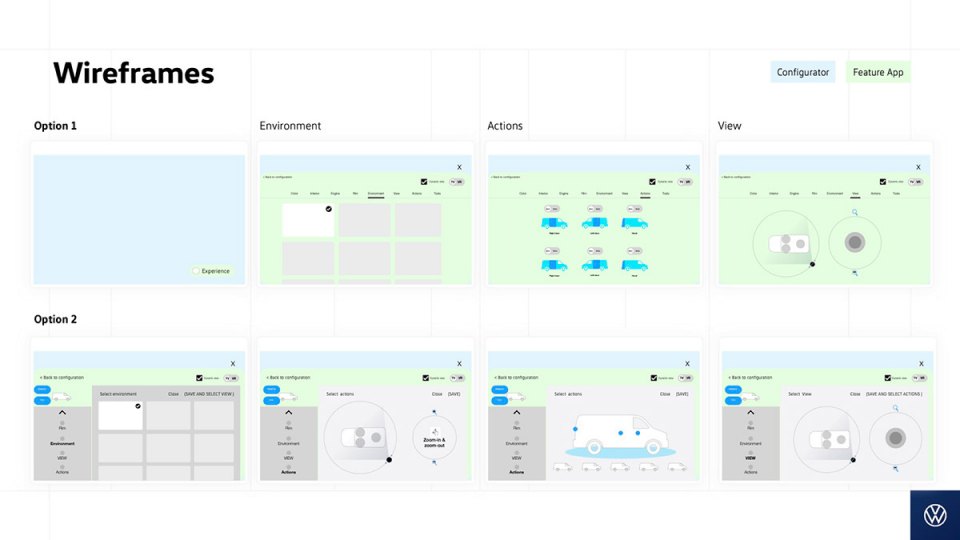
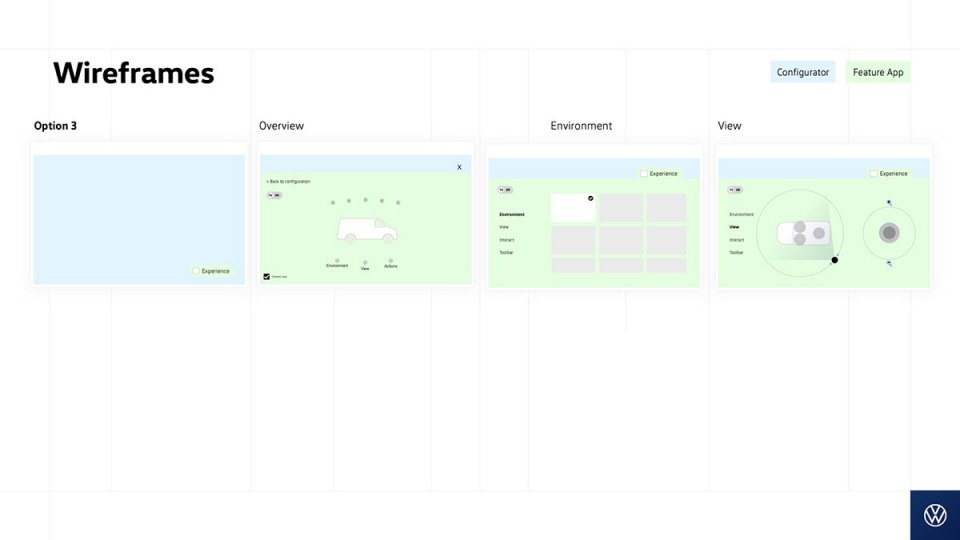
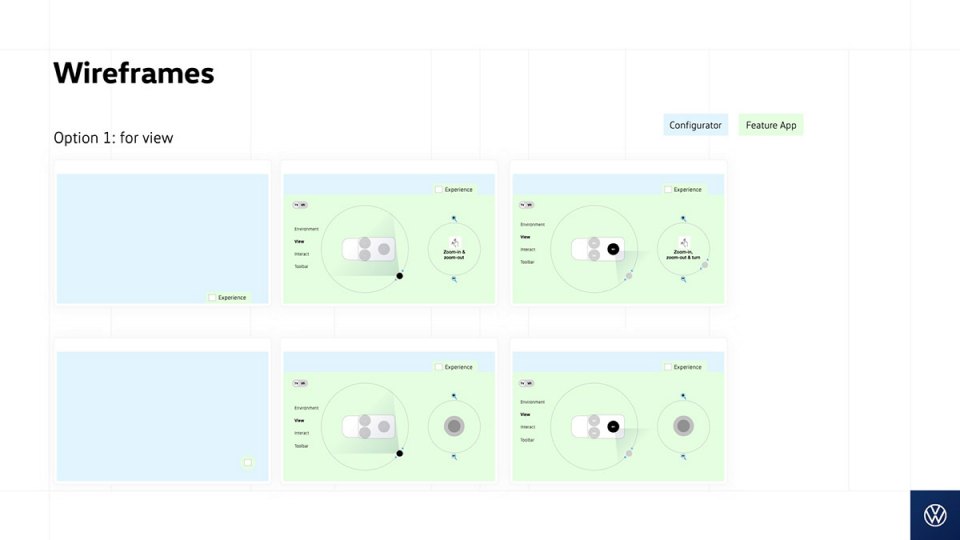
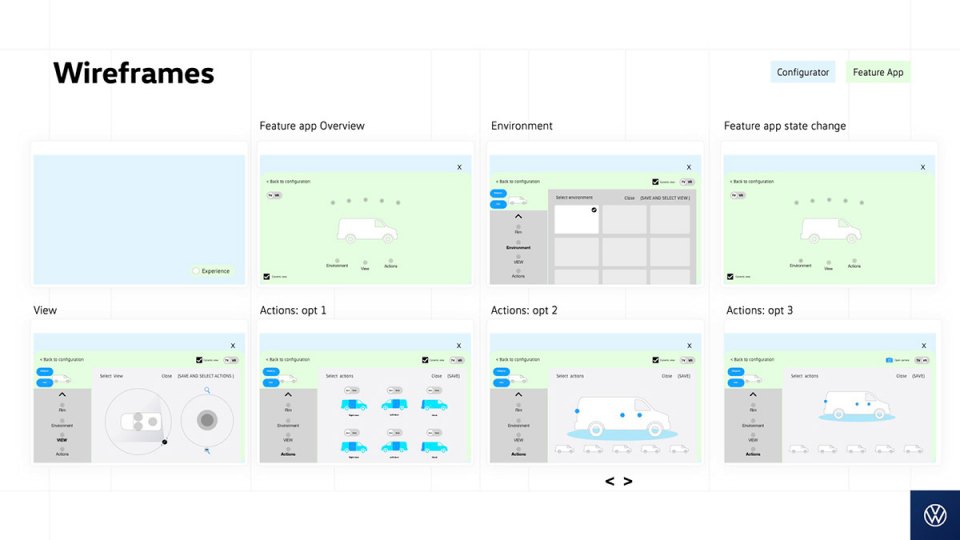
Why: the client found the first categorisation hard to read, so we ran a card sort and simplified it to a title with points under it. Grouping by the customer's position matches how a dealer talks: "let's look at the back".
A clickable version of the tablet app. Tap the glowing spot to follow the demo, or tap anywhere to see what else you can press. In idle mode, drag the cars.
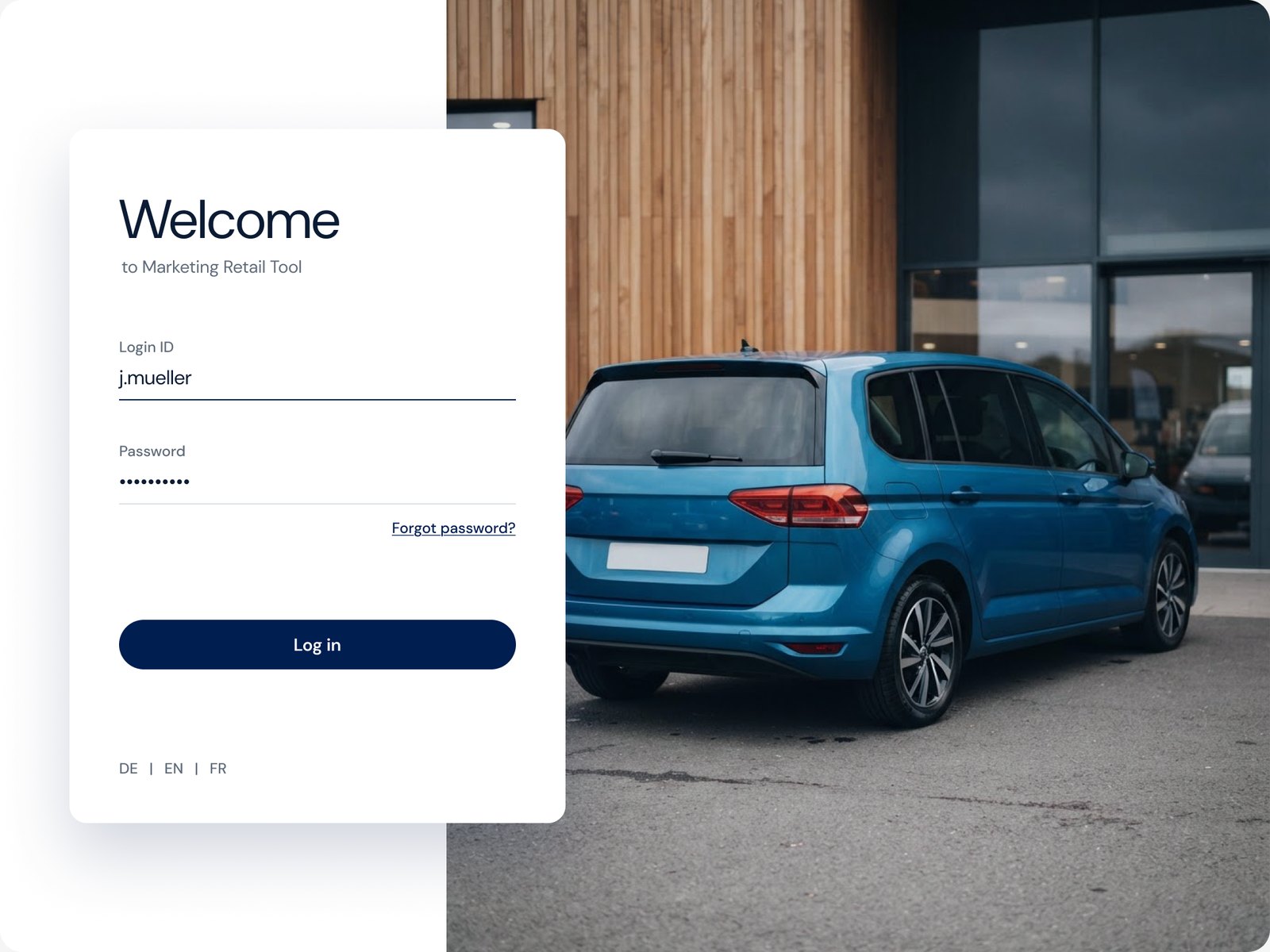
Rebuilt in 2026 from the 2021 Sketch exports, which no longer open. Layouts, flows and copy follow the originals; the vehicle and scene photos are AI-generated stand-ins. In idle mode you can drag cars into the TV loop, or tap them.
Login, settings and idle mode, where dealers drag cars into a loop that plays on the TV when nobody's at the tablet.
The garage, configurator and controller, with one switch between TV and AR/VR always in the same place.
Configurations are saved under the customer's name, like "Miss Hannah", so a dealer finds them by who's in the room, not by code.
Dealers drag cars from their garage into the idle loop, a physical gesture that suits a tablet better than checkboxes.
A note reminds the dealer to tell customers that standing inside the van in VR is only a preview, so expectations stay real.
When a scene fails to load, the dialog says what happened and offers a retry, while the customer keeps seeing the last scene.
flows designed, from login to the VR controller
controller structures explored before the final one
controller sizes: a split view and a full-screen mode
The screens were delivered to the team over regular client reviews in July to September 2021. There's no usage data I can share, so the real measure would be fewer trips back to the configurator per demo, and dealers who look up more than they look down.
Design for the room, not the screen. The tablet is the least important screen in the showroom. Every decision came back to keeping eyes on the van.
Short loops with the client worked. Meeting every few days and writing down every comment kept the iterations small and focused.
I'd ask for research access. Joining after research meant designing on trust. Next time I'd shadow a real showroom demo, even just once.