Prerequisites, pre-work and post-work in one workspace
These used to be three separate lists further down the page. One Tasks tab with a segmented control handles "complete one of these options" groups, pagination and expand all.
Nine content types, two products, one details page every learner can read the same way.
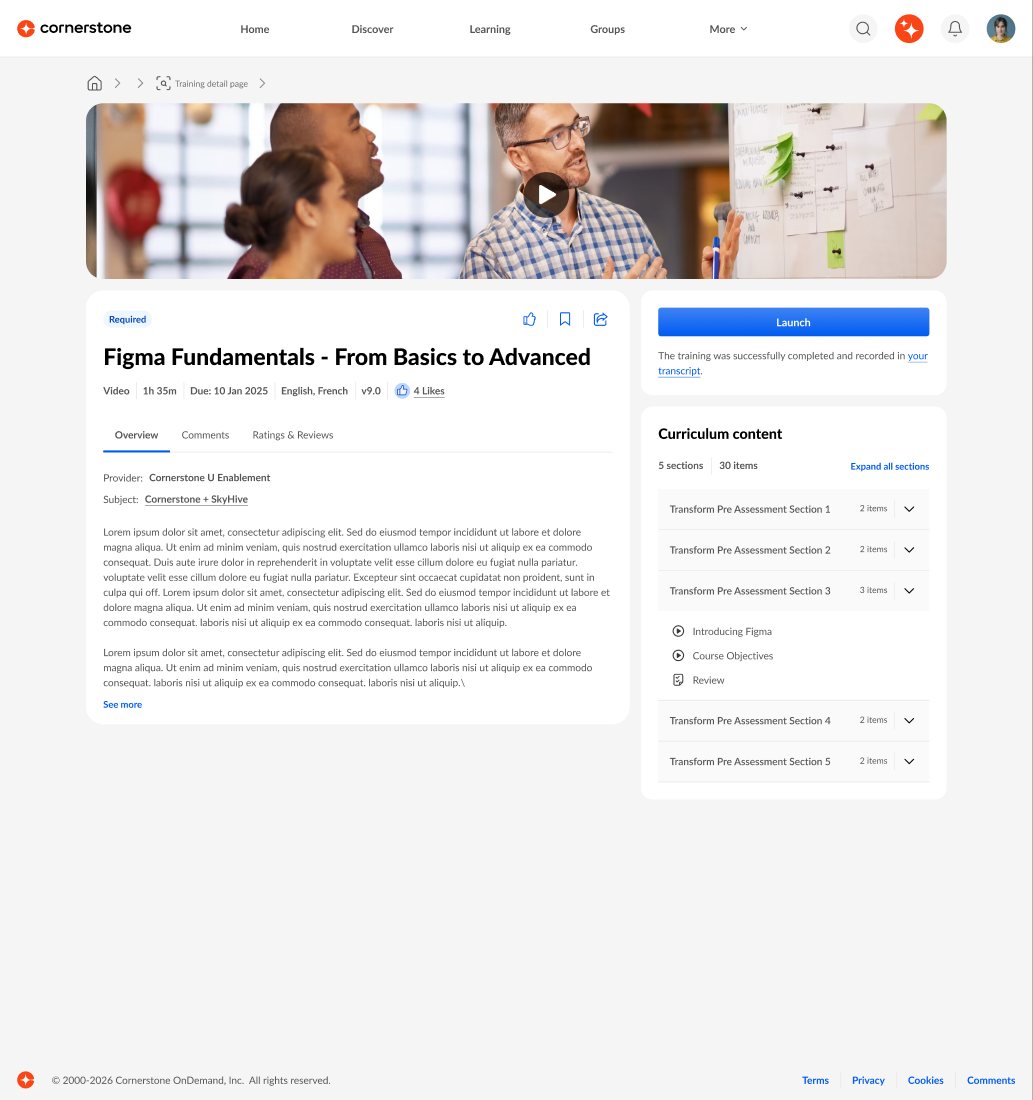
Every type of learning had its own details page, built by two different products. I designed one universal architecture, so learners always know where to look and what to do next.
Before you start any learning you ask the same things: what is it, how long does it take, what do I need first, and what do I click? Galaxy answered those questions differently for every content type.
LMS content (online courses, materials, videos, tests, curricula, events and sessions) lived on the LMS Training Details page. LXP content (smartcards, pathways and journeys) lived on a separate UGC page with an inline player. Two products had built overlapping features, different terms and different actions, and learners had to relearn the page every time the content type changed.
It also slowed the business down. Every new learning feature had to be built twice, once for each product.
How might wegive every learning item one structure, so learners always get a consistent hierarchy and clear actions, whatever its source or format?
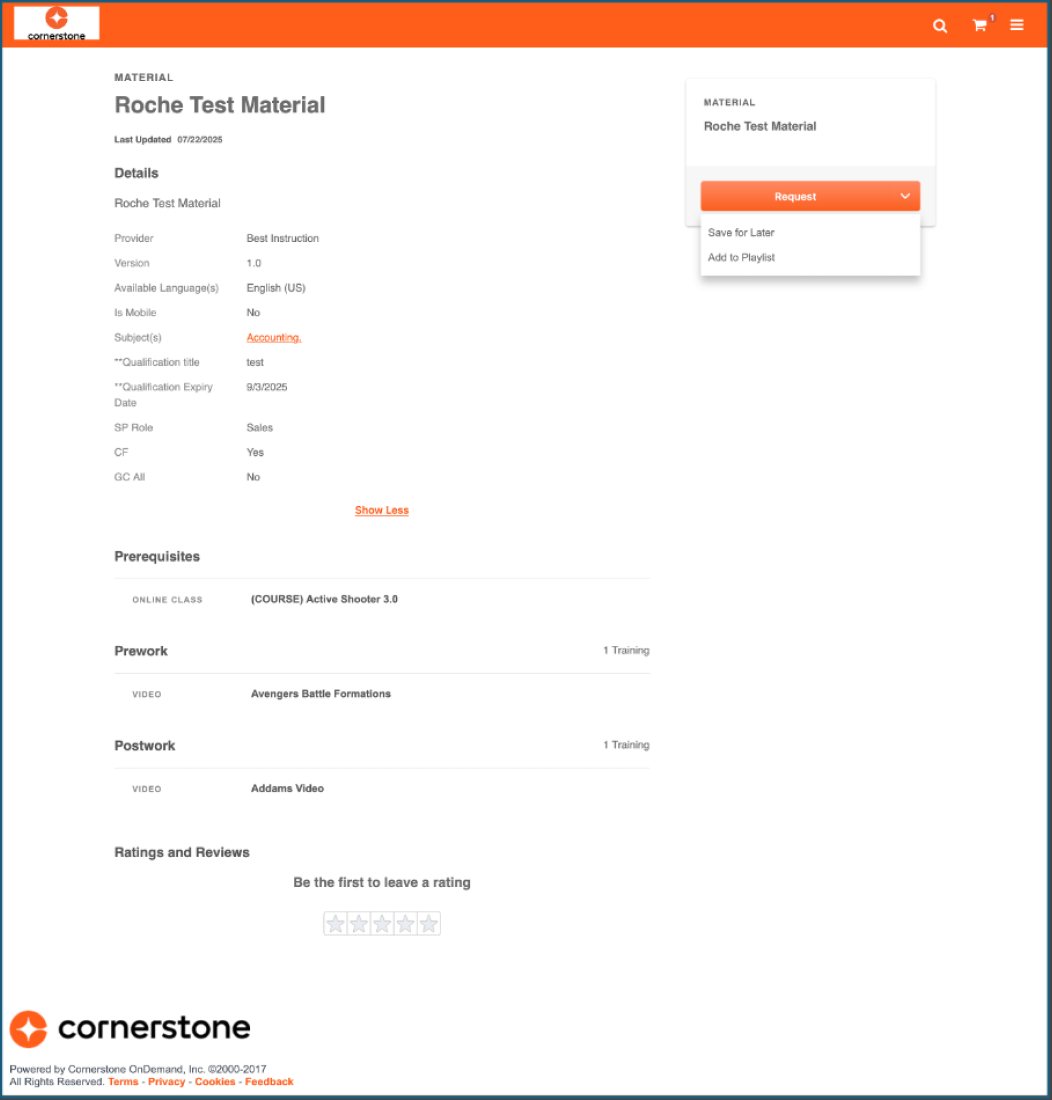
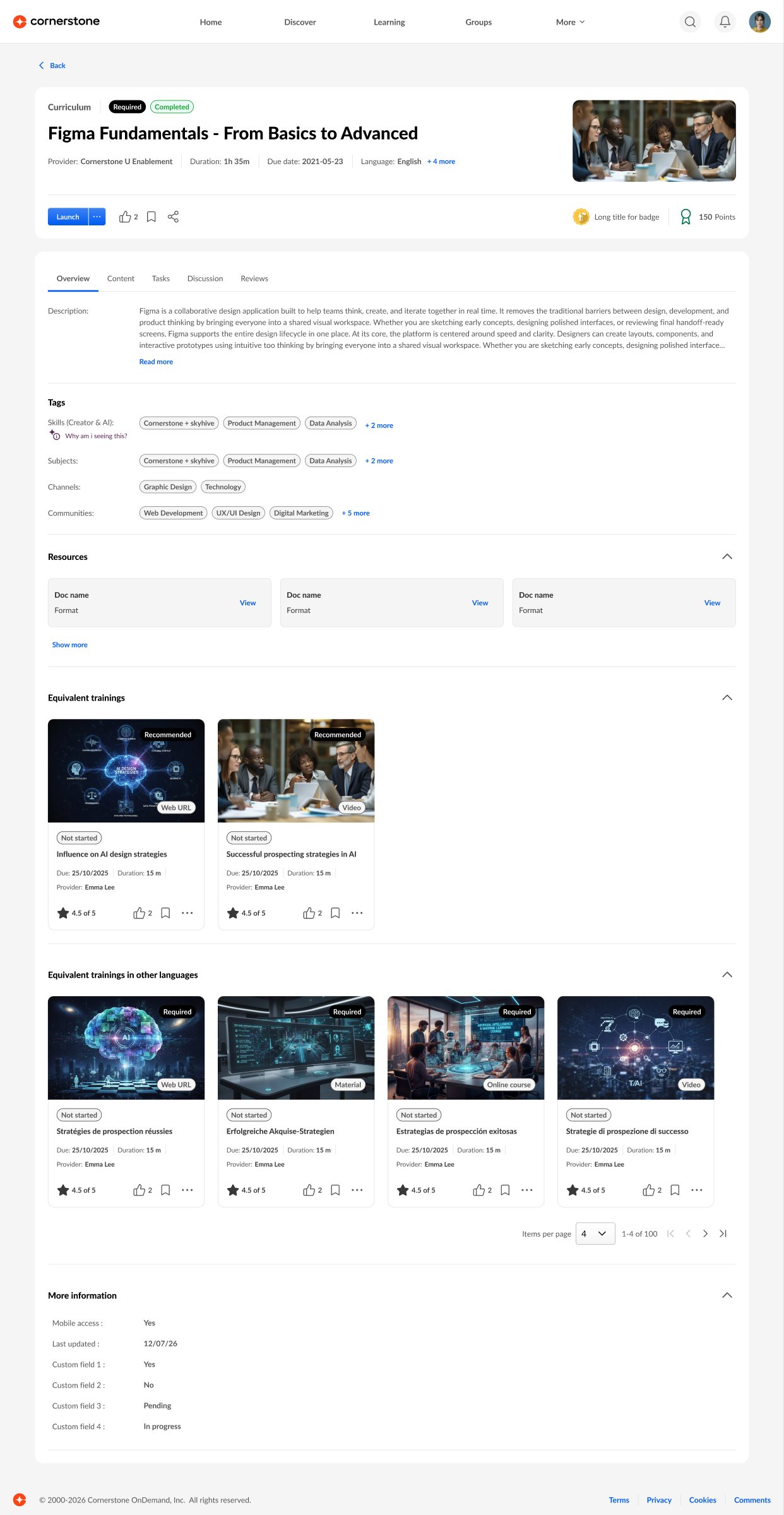 Before · LMSAfter · ULD
Drag to compare the old LMS details page with the unified page.
I started with an audit of every content type in scope and wrote down its rules. The LMS page alone carried around 20 metadata fields, from versions and language equivalencies to training contacts and custom fields. Each type also had its own logic: curricula only take prerequisites, materials can have pre-work, post-work, a training purpose and pricing, and events depend on sessions, deadlines and seats. Admins can show or hide much of this per division.
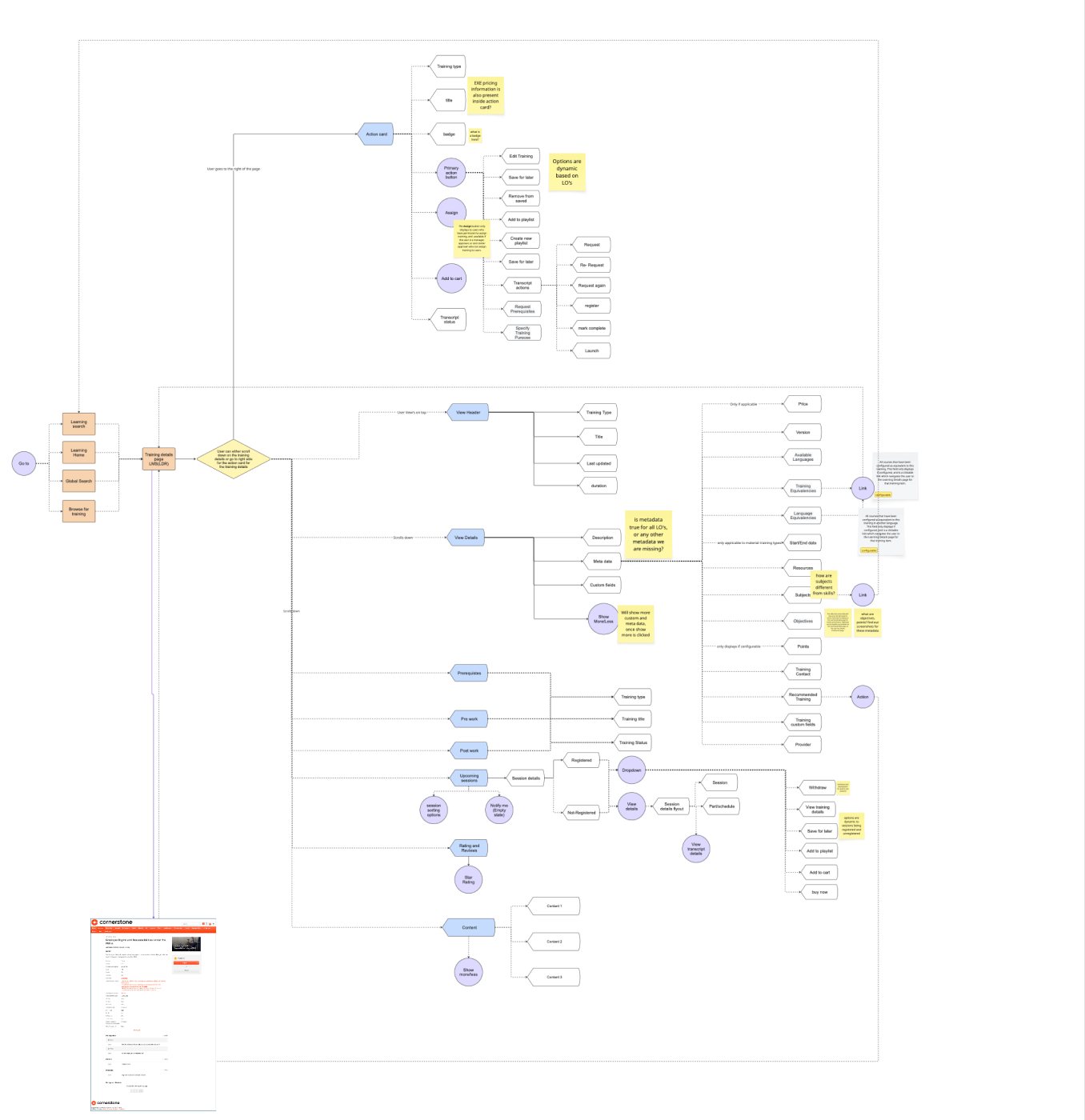
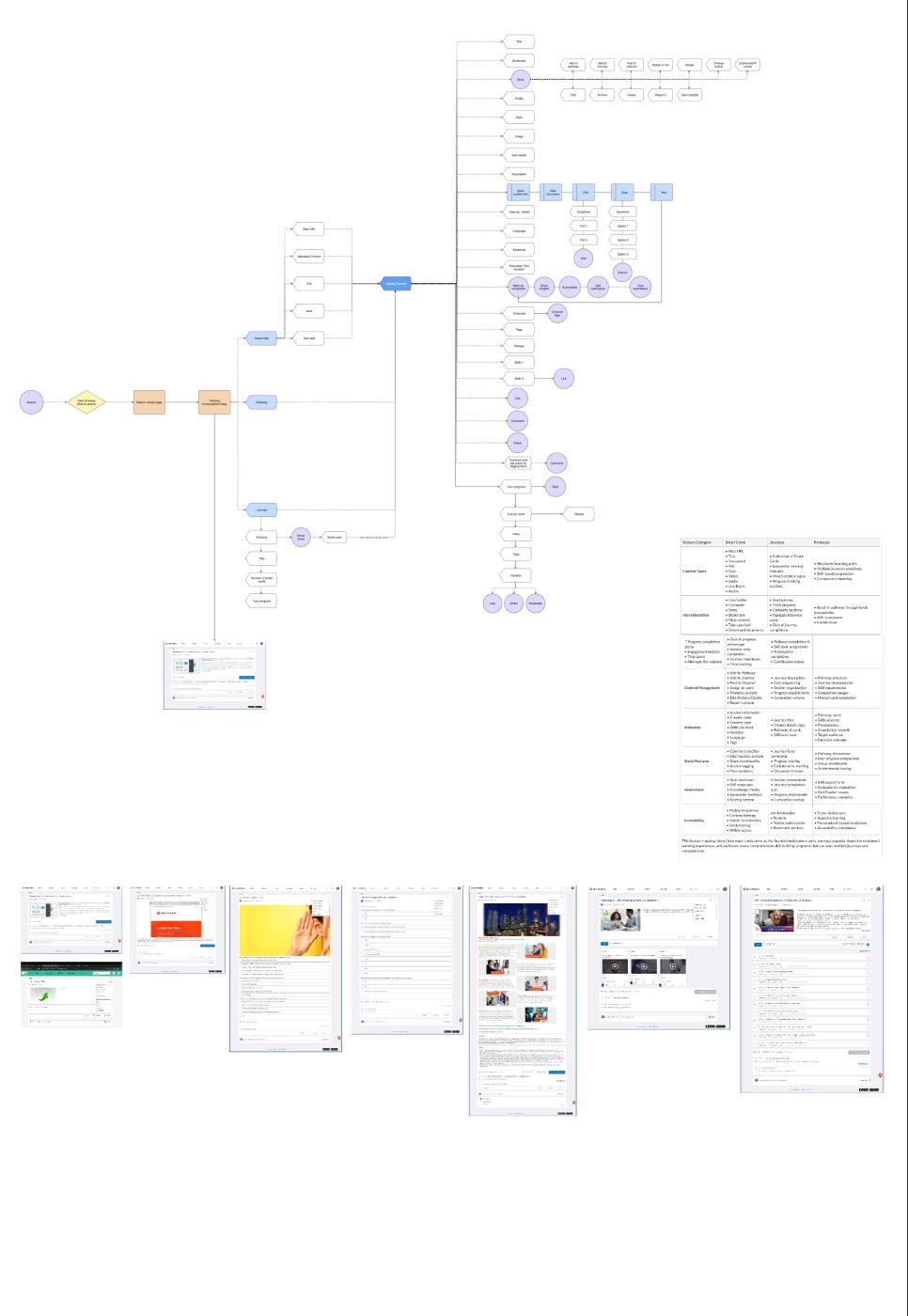
I then mapped the information architecture of both old pages. Side by side, the maps showed the same jobs reached through different paths: a right-hand action card on LMS, and inline actions and a player on LXP. A short market scan of Docebo, Udemy, Coursera and Khan Academy pointed the same way: one predictable page, with detail revealed progressively.
I explored quickly and widely. I ran five rounds of AI-assisted concepts in Figma Make and Lovable, then hand-built versions that tried a hero video, a sticky action rail, an inline curriculum and tabbed reviews. Drag or scroll the strip to see how it moved.
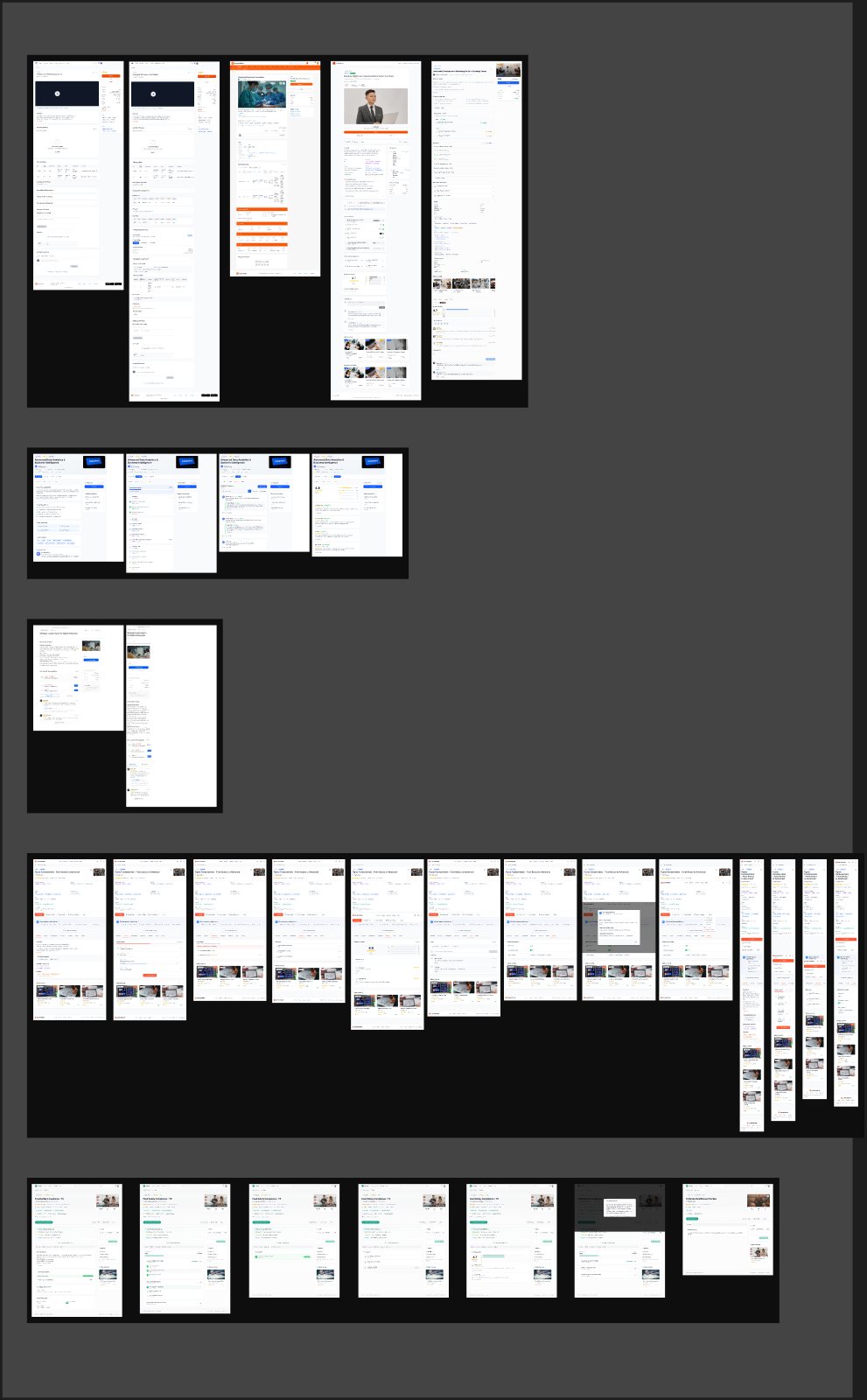
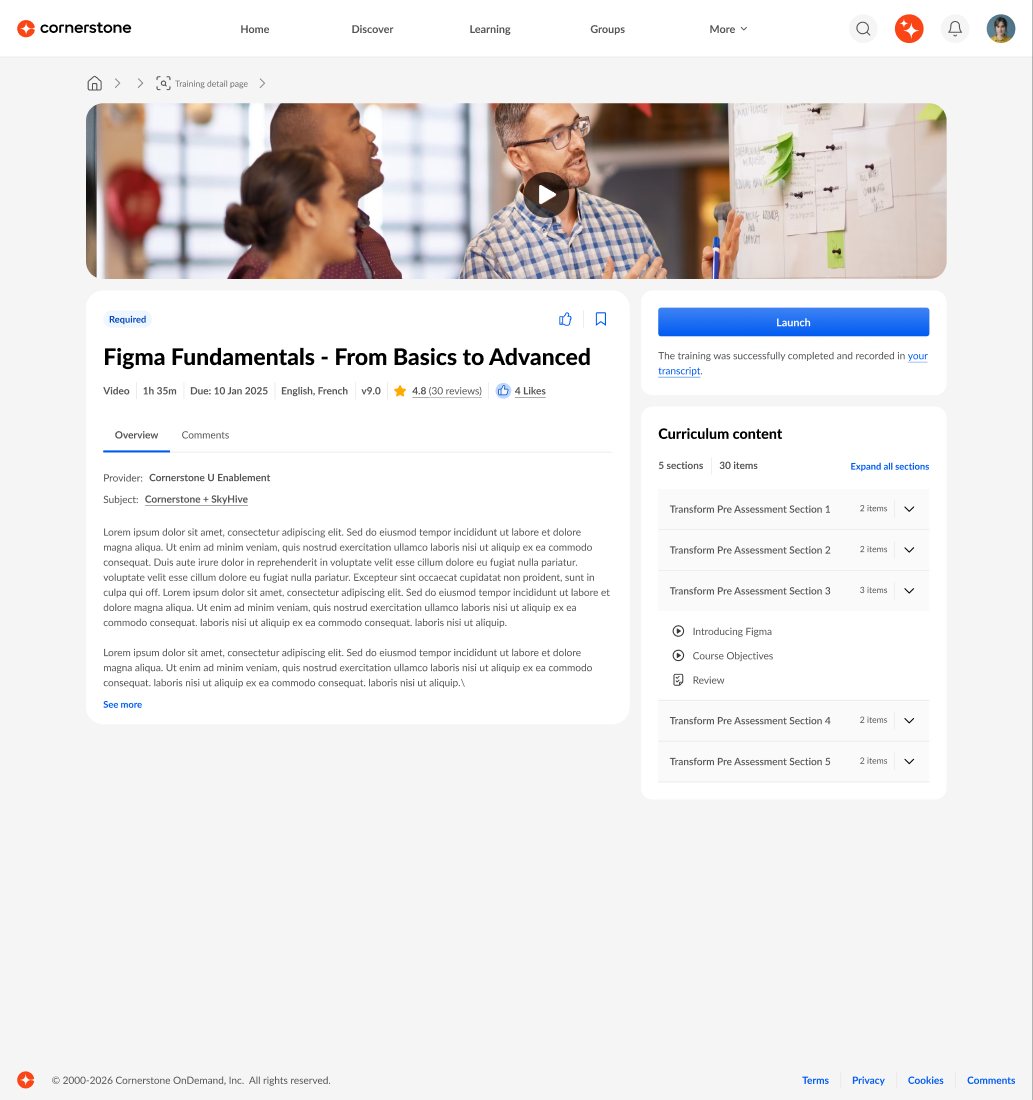
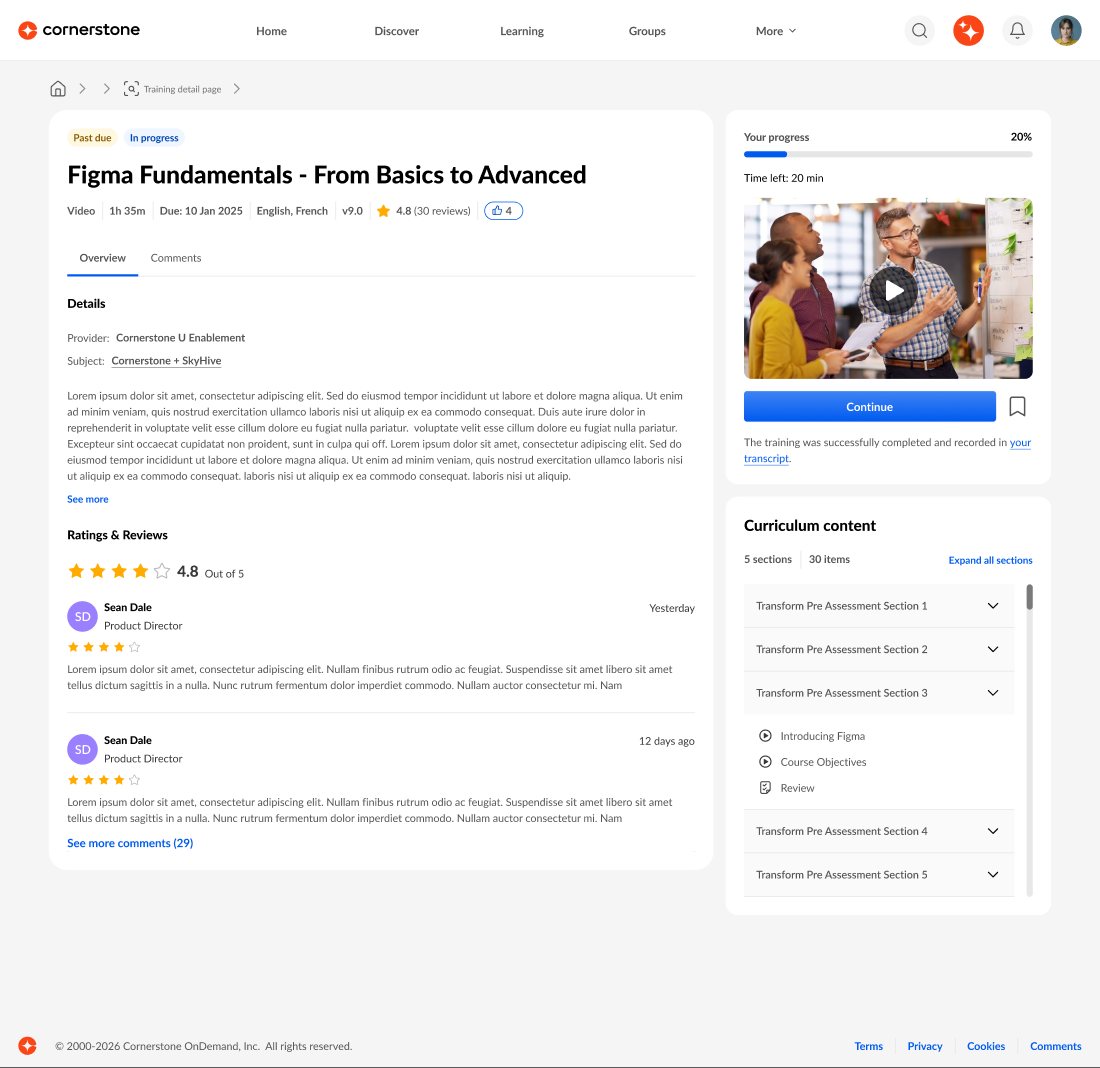
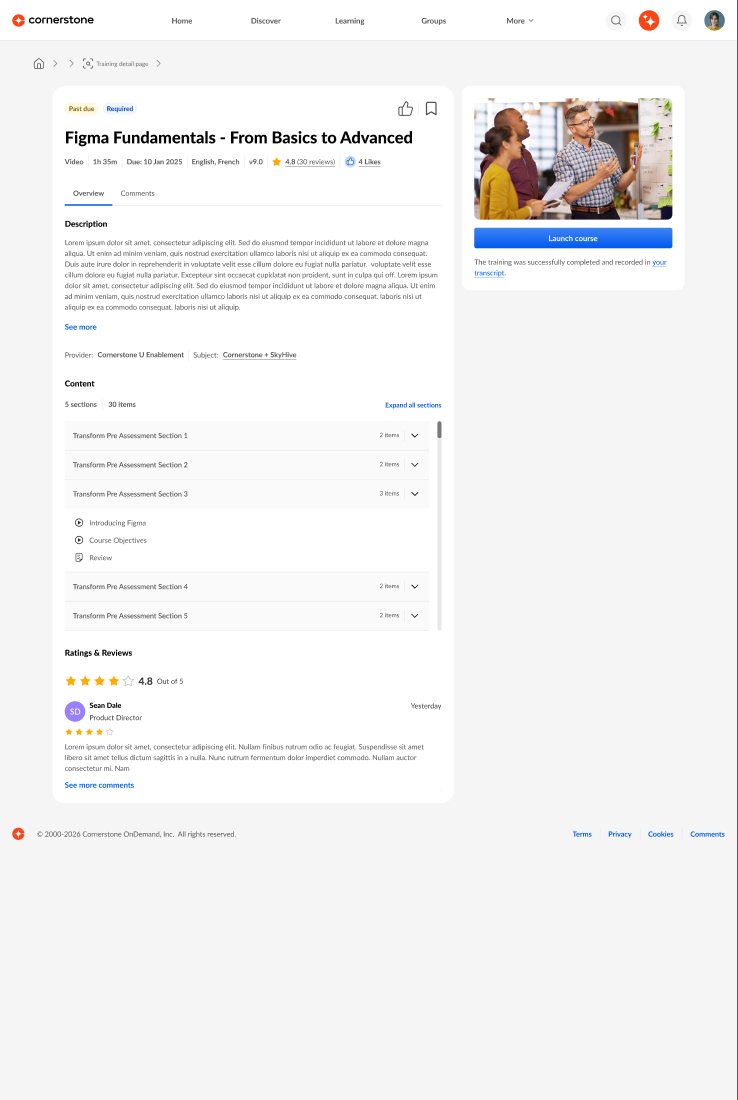
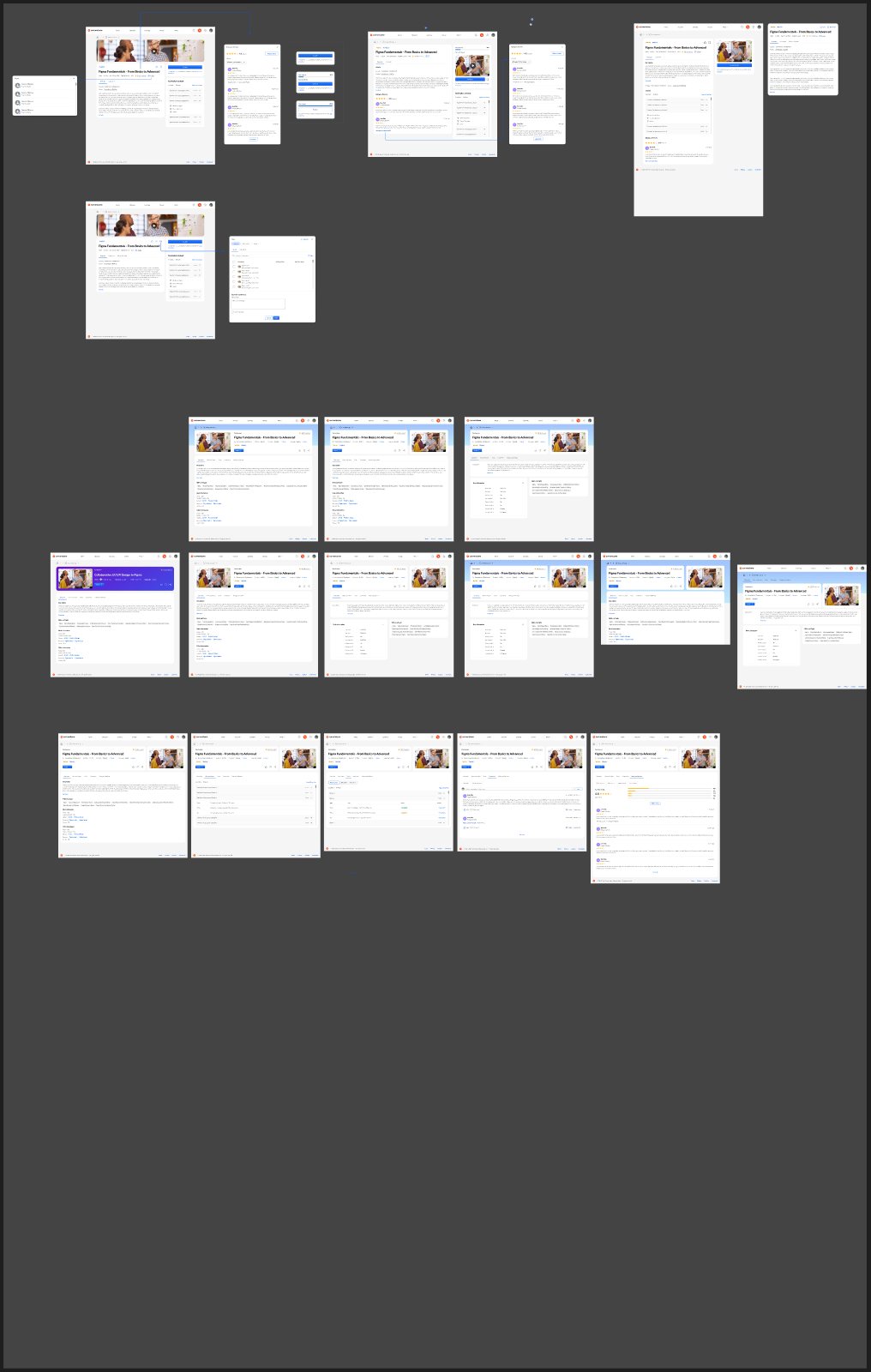
The side rail kept failing in the same way. It worked for a video and broke for a curriculum with 40 prerequisites, or an event with ten sessions. The structure had to hold the most complex type, not the simplest.
Why: predictability beats a perfect fit. If learners know where the duration, the next action and the prerequisites live, they stop hunting. It should also lower support volume. The cost was harder design work up front: every type's edge cases had to fit the shared frame.
My Learning page, generally available
Universal Learning Details goes live
Activity details, then admin and player experiences
Type, requirement and status, title, provider, duration, due date and language, then the primary action with like, bookmark and share. Badges and points sit on the right. It is identical for every content type.
Overview, Content, Tasks, Discussion and Reviews. Horizontal tabs split a long page into predictable rooms and lower the cognitive load.
A clickable prototype of one complete journey. Open the Figma curriculum from My Learning, look around the details page, preview a prerequisite without registering, launch it, watch the 20-second lesson, pass the quick check and finish. Every card and button responds. The guided tour shows the next step and can be switched off.
Best on a laptop or larger. Open the prototype full screen ↗
These used to be three separate lists further down the page. One Tasks tab with a segmented control handles "complete one of these options" groups, pagination and expand all.
A preview flyout shows any task or pathway item, with next and previous buttons, without registering. That keeps unwanted items off the learner's transcript.
Reviews help learners decide whether to enrol, while discussions are peer conversation. Each has its own tab with filters and sorting, and the later study confirmed learners tell them apart.
Built to be accessible and responsive. The July screens were designed at 320 and 768 breakpoints and checked at 400% zoom. Like, bookmark and close controls got unique ARIA labels tied to their card, and truncated titles reveal the full title on click.
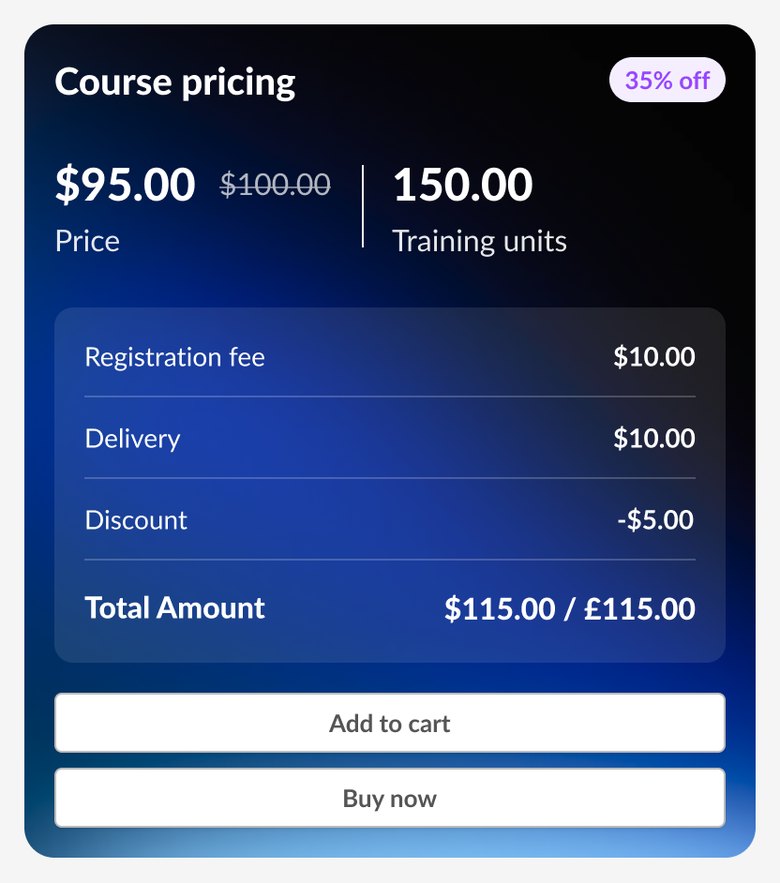
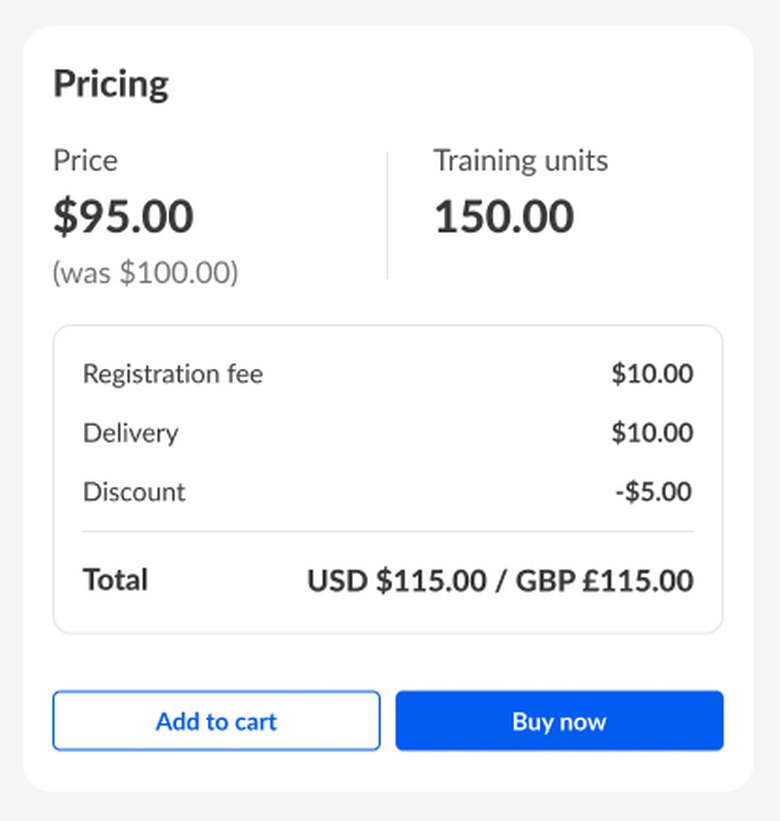
Leadership asked for pricing to stay prominent without feeling like marketing, and accessibility called the dark panel jarring. I moved to a light pricing card aligned with checkout, kept the price, training units and breakdown in the same order, and mapped every subscription and purchase scenario.
The Overview tab changed in the same pass: Quick links became Tags, and Resources, equivalent trainings and More information became collapsible sections, so the description stays at the top.
Pathways and journeys were meant to join ULD with a dedicated player in November. Then the player slipped. Moving them onto ULD without it would have replaced a working inline experience with a fragmented one. I mapped the flows for normal, locked, unavailable, and locked plus unavailable items, and the gaps were clear.
I raised it with product and recommended holding pathways and journeys off ULD until the player was ready. We agreed an interim experience in a two-day workshop with product and engineering.
Known costs, written down: loading states between players, an extra jump for quizzes and polls, and no automatic return after checkout. We listed them up front so nothing came as a surprise.
The same learner, the same four items, three different experiences. The chips show how many places a learner has to pass through to get from one item to the next.
Why I flagged it: five stops between items, and nothing holds the pathway together. With the player delayed past March, this could have stayed live for several releases.
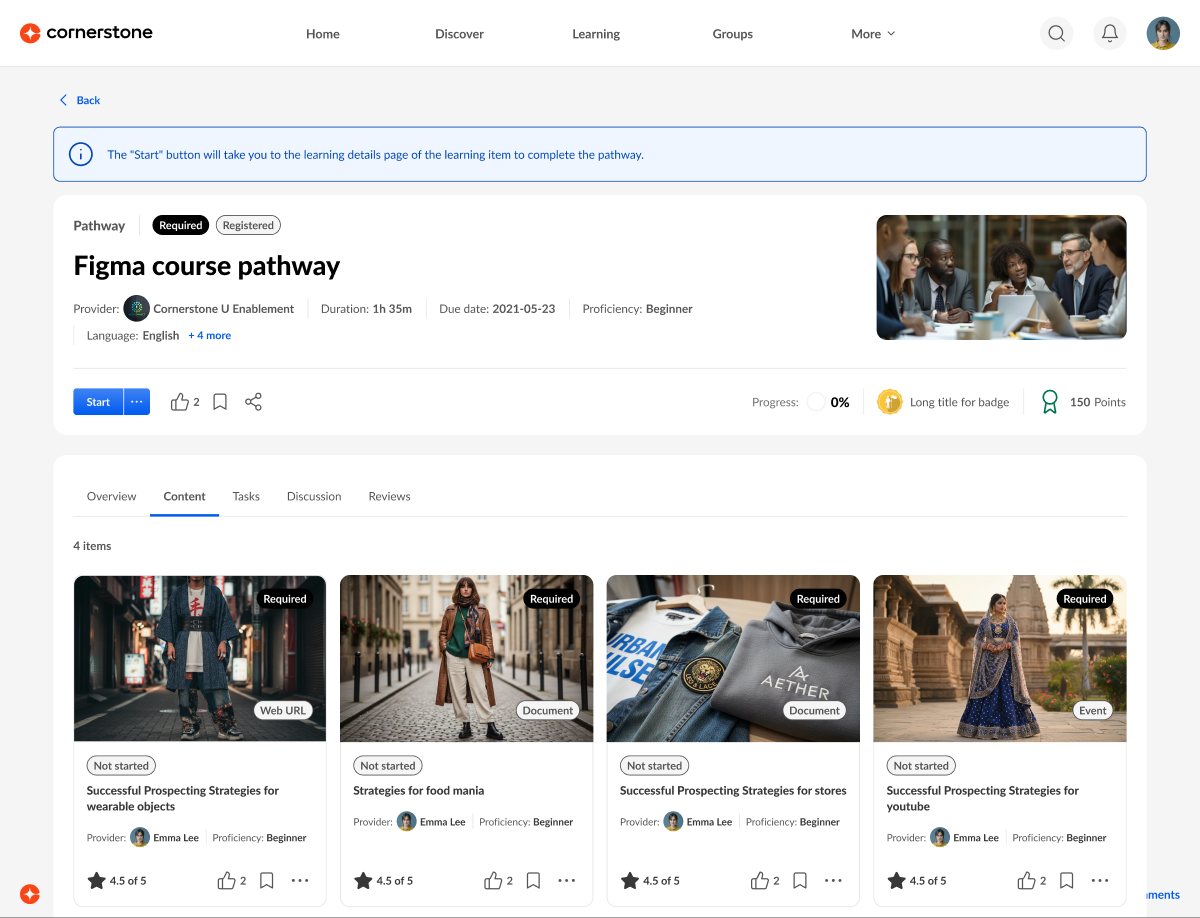
Accepted costs: loading between different players, a jump to LX pages for quizzes and polls, and a manual return after checkout. Training purpose in One Player is still being confirmed.
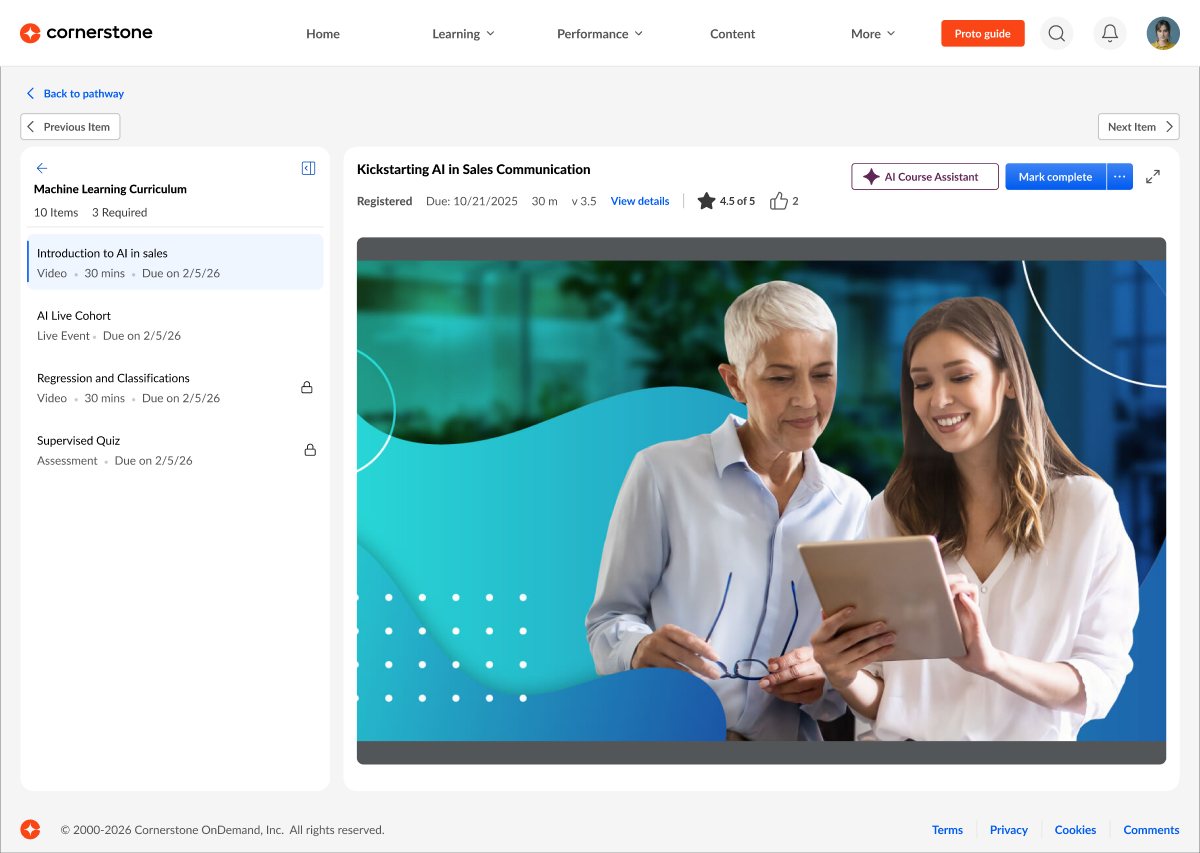
Shaped by research: the side panel, the progress and the single Mark complete all respond to findings from the study with 22 admins and instructional designers.
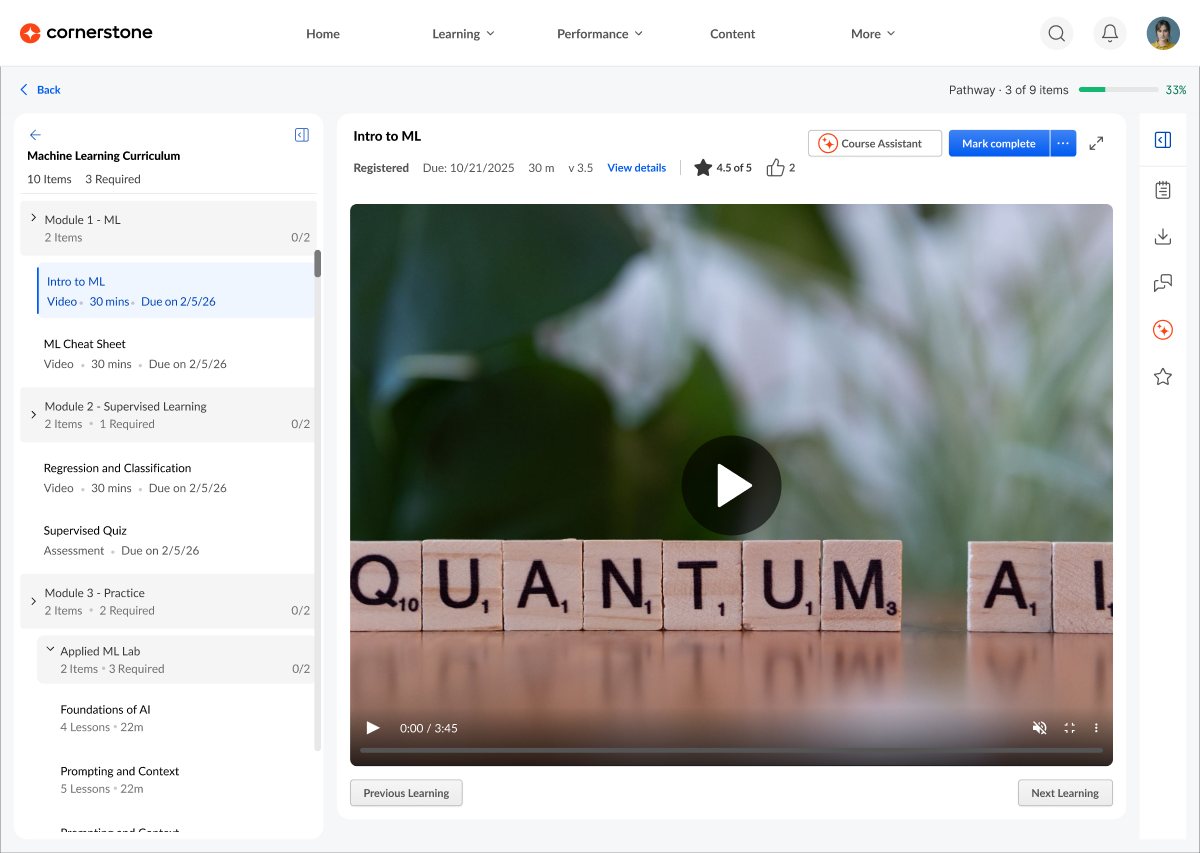
The same workshop settled card click behaviour on discover pages. Some customers want a card to launch content straight away, while others don't want every click added to the transcript. We made it a company setting, with View details always one click away.
Research compared the old and new pages with 12 learners making real course decisions (September 2026, research by Bhavya Srivastava). A second study with 22 admins and instructional designers tested the pathway and journey prototype (18 surveyed, 4 deep-dive interviews, September to October 2026, research by Sakshi Satardekar).
Share of participants who preferred the new experience, course comparison study.
Average confidence rose from 3.6 to 4.2 out of 5, and 75% felt very or extremely confident with the new page.
"Quick view is great for not having to register in order to see contents." Admin, enterprise customer
"Took me 10 seconds to find the distinction between pathway and journey." Labels need to be spelled out, with icons only as support.
Course format, cost and a side-by-side comparison remain the biggest gaps, so they're the next things to design.
of learners preferred the new page for organising information and making a decision
decision confidence, up from 3.6 on the old page
of admins found the new pathway and journey flow useful, and the same share found it visually appealing
Universal Learning Details went live in July 2026 for LMS and LXP content, replacing two details pages with one. It brings social features (ratings, reviews, likes, discussions and sharing) to every Galaxy content type, along with extended enterprise purchasing. The same architecture will carry Activity Details in November.
"I counted already three or four clicks before I know something about the content."Admin, enterprise customer · why key details belong up front
Design for the most complex type first. The layouts that looked best for a video fell apart on a curriculum. Starting from the hardest case saved several rounds.
Say the uncomfortable thing early. Flagging the pathway gap before launch cost a few hard conversations and saved learners from a broken journey.
Make labels do the work. Small tags and icons weren't enough to tell types apart. Next time I'd test labels as early as layouts.